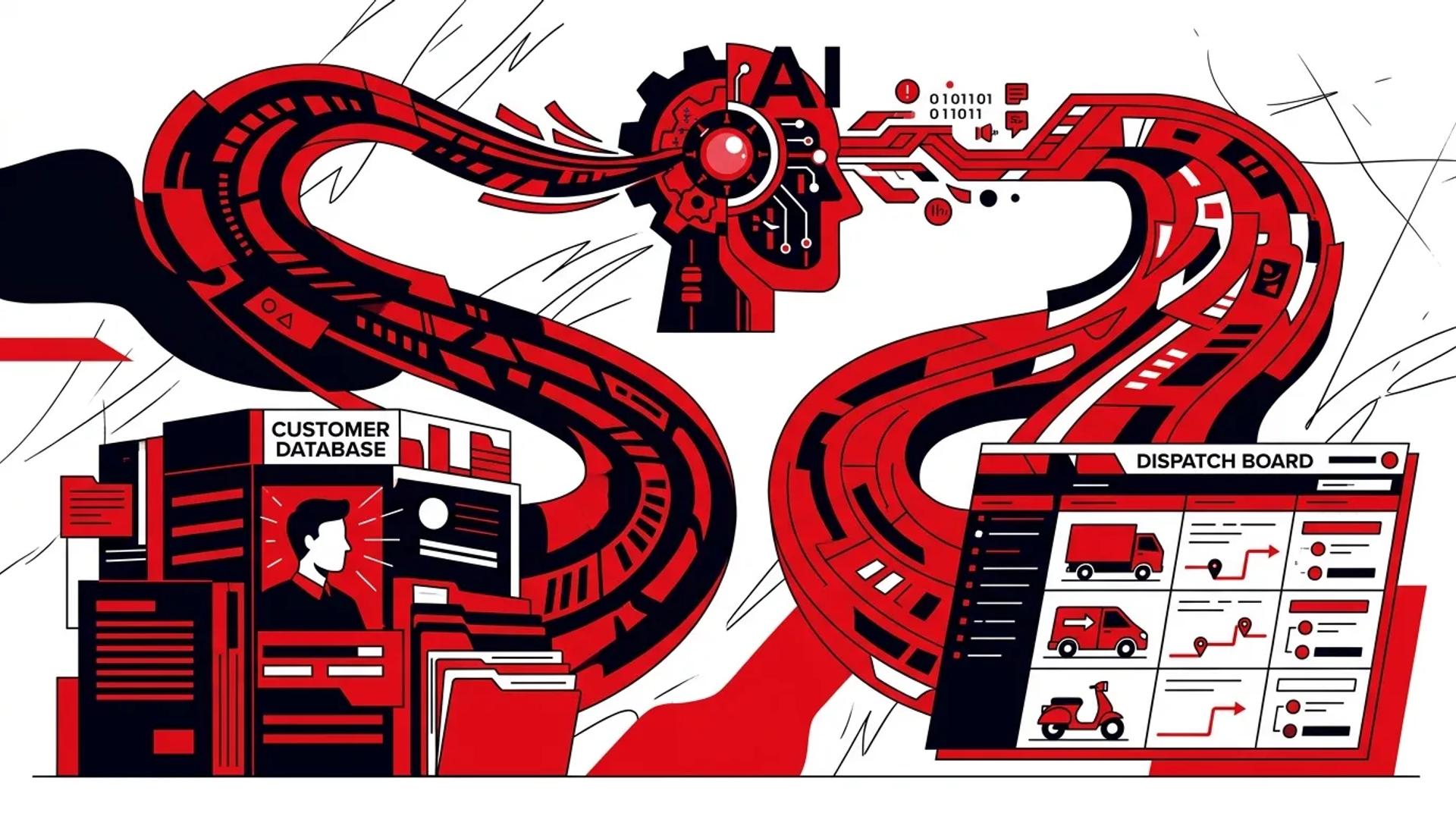

Most home service companies that deploy an AI booking assistant treat it like a chatbot bolted onto their website. It answers questions, maybe collects a name and phone number, and then drops a lead into a queue for someone to follow up on later. That is not a booking system. That is a form with extra steps.
The value of an AI booking assistant is not the conversation. It is what happens after the conversation. Does the appointment hit the CRM with the right tags? Does the dispatch board reflect available capacity? Does the morning team know exactly what was booked, by whom, and why? If any of those answers is “no,” your automation is creating work instead of eliminating it.
We have built and audited dozens of these integrations across HVAC, plumbing, and electrical brands. The pattern is consistent. The companies that get integration right book more jobs, run cleaner dispatches, and make better marketing decisions. The companies that skip it end up with a second inbox nobody trusts.
Why integration is the difference between a tool and a system
Standalone tools create data silos
An AI booking assistant that is not connected to your CRM and dispatch board creates a parallel universe of customer data. Your CSRs see one version of the customer. Your dispatchers see another. Your marketing team sees a third. Nobody trusts the numbers, so everyone defaults to gut decisions.
The real cost is not confusion. It is revenue leakage. When a returning service agreement customer contacts you after hours and the AI does not recognize them, you treat a high-value relationship like a cold lead. When the AI books an appointment but dispatch has no visibility, you get double-bookings or missed windows.
Connected systems compound performance
When the AI booking layer talks to your CRM and scheduling stack, several things improve simultaneously:
- Existing customer recognition. The system pulls customer history, service agreement status, and equipment records before asking the first question.
- Capacity-aware scheduling. Appointments are offered against real availability, not a static list of time slots.
- Source attribution. Every booked job carries the marketing source, campaign, and keyword through to revenue reporting.
- Dispatch efficiency. Technicians see complete job context before they roll, reducing callbacks and improving first-visit close rates.
What an AI booking assistant should actually connect to
CRM and customer records
This is the foundation. Your AI needs read and write access to your customer database. At minimum:
- Read: Customer name, address, phone, email, service history, equipment on file, service agreement status, open estimates, and communication preferences.
- Write: New customer creation, appointment booking with job type and notes, lead source tagging, and conversation transcript logging.
Without read access, every interaction starts from zero. Without write access, every interaction ends in a manual handoff.
Scheduling and capacity engine
The AI should not offer appointments it cannot fulfill. That means connecting to whatever system manages technician availability, whether that is ServiceTitan, Housecall Pro, FieldEdge, or a custom dispatch board.
Key data points the AI needs from scheduling:
- Available time windows by trade and service area
- Capacity limits per day or per shift
- Emergency vs. standard appointment types
- Soft-hold vs. hard-commit booking rules
Dispatch board and routing logic
Booking an appointment is not the same as dispatching a technician. But the AI should respect dispatch constraints so that booked jobs do not create downstream chaos.
| Integration Point | What It Does | What Breaks Without It |
|---|---|---|
| CRM customer records | Recognizes returning customers and pulls history | Every lead treated as new; no priority routing |
| Scheduling engine | Books against real availability | Double-bookings, phantom appointments |
| Dispatch routing | Respects service area and trade assignment | Wrong tech assigned, longer drive times |
| Call tracking | Preserves source attribution through to booking | Marketing cannot prove ROI by channel |
| Notification system | Confirms appointments and sends reminders | Higher no-show rates, confused customers |
Call tracking and attribution
This is where most implementations fall short. The AI books the job, but the CRM record shows “web lead” with no campaign detail. That makes it impossible to optimize spend against actual booked revenue.
Notification and confirmation layer
Once a booking is confirmed, the system should trigger:
- Immediate SMS and/or email confirmation to the customer
- Internal notification to the dispatcher or on-call manager
- Pre-appointment reminders with prep instructions
- Reschedule options that route back through the same system
How bad integration creates operational friction
The “double-entry” problem
When the AI books in one system and dispatch lives in another, someone has to manually transfer the data. That person becomes the bottleneck. They forget details. They transpose phone numbers. They miss the service agreement flag. And now your 2-minute after-hours lead response turns into a 2-hour morning cleanup.
The “ghost appointment” problem
If the AI books against a static calendar that is not synced with real dispatch capacity, you end up with appointments that cannot be fulfilled. The customer gets a confirmation. The dispatcher cannot honor it. The CSR calls to reschedule. Trust breaks.
The “attribution black hole” problem
Marketing runs a Google Ads campaign that generates 40 leads in a week. The AI books 15 of them. But because source data did not carry through to the CRM, those 15 booked jobs show up as “unknown source.” Marketing cannot justify the spend. The budget gets cut. Lead volume drops. Revenue follows.
What a strong implementation looks like
Step 1: Map your data flow before you build anything
Draw the path a lead takes from first contact to completed job. Identify every system it touches. Mark where data is created, where it is transferred, and where it is lost. This map becomes your integration spec.
Step 2: Define what the AI needs to read and write in each system
Do not give the AI access to everything. Define the minimum data it needs to:
- Recognize existing customers
- Qualify the request (trade, urgency, service area)
- Offer available appointments
- Book with the right job type and notes
- Tag with source attribution
- Trigger confirmations
Step 3: Build error handling for real-world failures
APIs fail. CRMs time out. Scheduling engines return stale data. Your integration needs fallback logic:
- If the CRM is unreachable, capture the lead locally and sync when the connection restores.
- If scheduling data is stale, offer a “pending confirmation” booking and notify dispatch.
- If source attribution is missing, flag the record for manual review instead of defaulting to “unknown.”
Step 4: Test with real scenarios, not demo data
Run after-hours scenarios with real customer profiles, real capacity constraints, and real dispatch rules. Test what happens when:
- An existing service agreement customer calls about a new trade
- The AI tries to book during a fully committed window
- An emergency comes in while the system is handling a standard booking
- A lead comes from an LSA with a required response window
How Ad Leverage connects Booking Buddy AI to the stack
At Ad Leverage, we build AI booking assistant integrations as part of a revenue system. Not as a standalone tool. We connect Booking Buddy AI directly to your CRM, scheduling engine, and call tracking so that every after-hours interaction produces a clean, attributable, dispatchable appointment.
We focus on three outcomes:
- Clean data in, clean data out. Every booked job carries customer history, source attribution, and job details through to dispatch.
- Capacity-aware booking. The AI only offers what your team can actually deliver, protecting customer trust and dispatch efficiency.
- Closed-loop reporting. Booked jobs tie back to marketing spend so you can allocate budget based on revenue contribution, not lead volume.
We have seen operators cut morning callback queues by 40% and improve after-hours booked rates significantly once the integration layer works correctly. The AI conversation is the easy part. The plumbing behind it is where the revenue lives.
Frequently asked questions
Does an AI booking assistant replace our CSR team?
No. It handles the first interaction, qualification, and scheduling during hours when your CSR team is not available. During business hours, it can reduce inbound volume on routine bookings, but the goal is augmentation. Your team handles complex situations, escalations, and relationship management.
What CRM platforms does this type of integration work with?
The most common platforms in home services are ServiceTitan, Housecall Pro, and FieldEdge. Any CRM with an API can be connected. The key question is not “does it integrate” but “does it integrate deeply enough to read customer records and write bookings with full attribution.”
How long does a proper integration take to implement?
A basic connection (lead capture to CRM) can be live in days. A full integration with scheduling awareness, customer recognition, and attribution passthrough typically takes 2 to 4 weeks depending on your CRM and dispatch setup. The upfront investment pays back quickly once after-hours bookings start converting.
What if our dispatch board does not have an API?
If your system lacks API access, you can still build a useful integration using webhook-based triggers, email parsing, or a middleware layer. It is not ideal, but it is far better than no connection at all. The priority is getting booked jobs into dispatch view without manual re-entry.
Book a strategy call
If your AI booking tools are generating leads but not producing clean, dispatchable appointments, the problem is almost always integration. The conversation layer works. The connection to your real systems does not.
We will audit your current booking flow, map the integration gaps between your AI layer, CRM, and dispatch board, and build a plan that turns speed to lead automation into booked revenue.
Book a Strategy Call to see how Booking Buddy AI should connect to your stack.
References
- ServiceTitan - Platform documentation on API integrations and dispatch automation
- HubSpot - CRM integration best practices and lead attribution frameworks
- Google Ads Help - Conversion tracking and offline conversion imports for lead generation